Real-World Use Cases: Who Needs This Tool?
Why do line breaks happen in the first place? Usually, it is a conflict between different file formats (like PDF to HTML) where visual line endings are converted into hard data breaks. Here is how different professionals use our tool to solve specific workflow bottlenecks:
1. Cleaning Up PDF Copy-Paste Text
This is the most common frustration for students, researchers, and writers. PDFs are designed for visual layout, not text extraction. When you copy from a PDF, the clipboard often captures the physical end of the line as a hard return. Using a tool to remove line breaks from pdf text seamlessly stitches those broken sentences back together, allowing you to quote sources without the formatting headache.
2. Formatting ChatGPT and AI Output
AI writing assistants are powerful, but their output formatting can sometimes be unpredictable. When pasting AI-generated text into a CMS or code editor, you might find hidden paragraph breaks or awkward spacing. Stripping these out ensures your content flows naturally before you begin editing.
3. Fixing Excel and CSV Data Issues
For developers and data analysts, a stray line break inside a CSV file or an Excel cell can completely break a database import. If you are trying to clean up tabular data, you must remove newline characters online to ensure all text within a single data point stays on a single, continuous line.
4. Cleaning Bulk or Scraped Text
If you are web scraping or pulling bulk text from old websites, the HTML formatting is often a disaster. Scraped text is notoriously filled with random \n (newline) tags. A quick pass through a line break remover cleans the dataset instantly, preparing it for analysis or republishing.
Before vs. After: The Magic of Text Cleanup
To truly understand how much time this saves, let’s look at a standard example of what happens when you copy text from a rigidly formatted document.
The Problem (Messy Text with Hard Line Breaks):
Line breaks are hidden characters
that tell your computer to start a
new line of text. When you copy
from certain files, these breaks
come along with the words, ruining
your paragraph structure.
The Solution (Clean Formatted Text via Tool Master):
Line breaks are hidden characters that tell your computer to start a new line of text. When you copy from certain files, these breaks come along with the words, ruining your paragraph structure.
What would take you thirty seconds of manual deleting takes the tool zero seconds.
Real-World Use Cases: Who Needs This Tool?
Why do line breaks happen in the first place? Usually, it is a conflict between different file formats (like PDF to HTML) where visual line endings are converted into hard data breaks. Here is how different professionals use our tool to solve specific workflow bottlenecks:
1. Cleaning Up PDF Copy-Paste Text
This is the most common frustration for students, researchers, and writers. PDFs are designed for visual layout, not text extraction. When you copy from a PDF, the clipboard often captures the physical end of the line as a hard return. Using a tool to remove line breaks from pdf text seamlessly stitches those broken sentences back together, allowing you to quote sources without the formatting headache.
2. Formatting ChatGPT and AI Output
Al writing assistants are powerful, but their output formatting can sometimes be unpredictable. When pasting Al-generated text into a CMS or code editor, you might find hidden paragraph breaks or awkward spacing. Stripping these out ensures your content flows naturally before you begin editing
3. Fixing Excel and CSV Data Issues
For developers and data analysts, a stray line break inside a CSV file or an Excel cell can completely break a database import. If you are trying to clean up tabular data, you must remove newline characters online to ensure all text within a single data point stays on a single, continuous line.
4. Cleaning Bulk or Scraped Text
If you are web scraping or pulling bulk text from old websites, the HTML formatting is often a disaster. Scraped text is notoriously filled with random \n (newline) tags. A quick pass through a line break remover cleans the dataset instantly, preparing it for analysis or republishing.
Before vs. After: The Magic of Text Cleanup
To truly understand how much time this saves, let’s look at a standard example of what happens when you copy text from a rigidly formatted document.
The Problem (Messy Text with Hard Line Breaks):
Line breaks are hidden characters that tell your computer to start a new line of text. When you copy from certain files, these breaks come along with the words, ruining your paragraph structure.
The Solution (Clean Formatted Text via Tool Master):
Line breaks are hidden characters that tell your computer to start a new line of text. When you copy from certain files, these breaks come along with the words, ruining your paragraph structure.
What would take you thirty seconds of manual deleting takes the tool zero seconds.
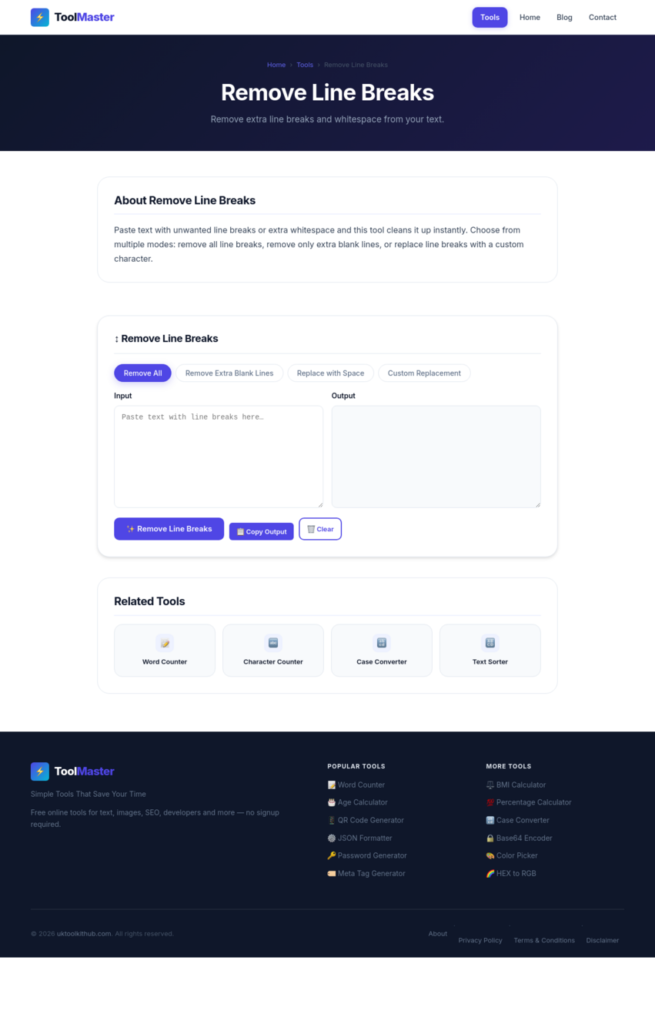
How to Remove Line Breaks Instantly (Step-by-Step)
You do not need to be a tech expert to fix broken text formatting online. The Tool Master interface is designed for ultimate simplicity. Here is exactly how to do it:
1. Copy Your Messy Text: Highlight the broken text from your PDF, email, or 2. document and press Ctrl+C (or Cmd+C on Mac).
2. Paste into the Tool: Navigate to the Tool Master Line Break Remover and paste your text (Ctrl+V) into the designated input box.
3. Click the Action Button: Hit the “Remove Line Breaks” button.
3. Copy the Result: Your text will instantly appear in the output box as one continuous, smooth block. Click “Copy to Clipboard” and paste it right back into your final document.
Features of the Tool Master Text Cleanup Tool
Not all text formatters are created equal. We built this specific utility to be the fastest, most reliable option on the web.
One-Click Removal: No complex settings confusing drop-down menus. Paste, click, and you are done.
Lightning-Fast Processing: Whether you are pasting a single paragraph or a 10,000-word academic paper, the script processes the text locally in your browser in milliseconds.
No Login Required: We believe basic utility tools should be accessible. There are no paywalls, no account registrations, and no email sign-ups required.
100% Mobile Friendly: Fixing a messy email draft on your commute? Our interface is fully responsive, allowing you to clean up text directly from your smartphone or tablet
Manual Editing vs. Automated Tool Comparison
If you are accustomed to fixing formatting by hand, you might not realize how much time you are actually losing. Let’s break down the manual process:
To manually remove line breaks from copied text, you have to place your cursor at the end of the first broken line. You press “Delete” to bring the next line up. Then, you usually realize the words are stuck together (e.g., thewords), so you have to press the “Spacebar”. You then move your cursor to the end of the next line and repeat the process.
For a five-page document, you will perform this repetitive action hundreds of times.
Manual Editing: High risk of accidental deletions, incredibly tedious, takes minutes or hours.
Tool Master Tool: Zero risk of missing data, requires zero mental energy, takes one second.
Common Mistakes to Avoid When Formatting
While automated tools are powerful, you still need to be mindful of your final output. Watch out for these common text-cleanup pitfalls:
Removing Needed Paragraph Spacing: Sometimes, you want to remove the weird single line breaks within a paragraph, but you still want to keep the double line breaks that separate different paragraphs. If a tool strips everything into one giant wall of text, you will have to manually hit “Enter” to rebuild your paragraphs. (Tool Master offers options to preserve paragraph breaks while fixing internal line breaks).
Breaking Sentence Flow: When hard returns are removed, words can occasionally fuse together if the original document lacked trailing spaces. Always do a quick visual scan of your cleaned text to ensure no words have merged (e.g., formatting error).
Pro Tips for Writers and Developers (High Value)
Want to get the absolute most out of your text processing workflow? Try these advanced strategies:
Combine with a Case Converter: Often,
text scraped from PDFs is not only broken by line breaks but also written in ALL CAPS. First, run your text through the line break remover. Then, paste the clean block into our free Case Converter Tool to instantly change it back to readable Sentence case.
Clean Text Before Publishing: CMS platforms like WordPress can be sensitive to invisible characters. If you paste directly from a Word doc or PDF, hidden newline code can mess up your mobile layout. Always run external text through a cleaner to strip out rogue HTML and newline tags before hitting “Publish”.
Use for SEO Content Formatting: Search engines prioritize readability. If your meta descriptions or introductory paragraphs contain hidden line breaks, Google might index the formatting poorly. Cleaning your text ensures search engines crawl exactly what the user will read.
Frequently Asked Questions (FAQ)
How do I remove line breaks from PDF text?
The easiest method is to copy the text directly from your PDF viewer, paste it into an online tool like the Tool Master Line Break Remover, and click the process button. The tool automatically detects the unnatural carriage returns and replaces them with standard spaces, restoring the paragraph structure.
How to remove newline characters online for coding?
If you have a string of data filled with \n or \r tags, simply paste the data into our tool. It acts as a text cleanup tool online free of charge, stripping out all invisible carriage return data so you can safely use the string in JSON, CSVs, or programming environments.
Can I remove line breaks without removing paragraphs?
Yes! A high-quality tool will allow you to remove single line breaks (the errors that fracture a sentence) while preserving double line breaks (the intentional spaces that separate distinct paragraphs). This ensures you don’t end up with one massive, unreadable block of text.
Is it safe to paste confidential documents into this tool?
Yes. The Tool Master text formatting utility processes your text directly within your local web browser. Your data is not uploaded, stored, or saved to any external servers, ensuring complete privacy.
Stop Wasting Time: Clean Your Text Now
Formatting text should not be a manual chore. Whether you are trying to remove line breaks from copied text, rescue a badly formatted PDF, or prepare data for a spreadsheet, relying on the “Backspace” key is a thing of the past.
Streamline your writing, coding, and publishing workflow today. Scroll up to the top of this page, paste your messy content into the Tool Master editor, and experience the relief of perfectly formatted text in less than a second!